
Data access on the portal is controlled through the use of permission filters. Any user that wishes to access facility data must be invited to a filter.
What is a permission filter?
A permission filter is a set of parameters applied to a user account that dictates what a user can access. The Ecofit filter system allows for maximum flexibility in data access while remaining flexible and secure.
New Account Permissions
A new user account is created with no filter access by default. A user with no filter access will encounter the "Getting Started" popup on login.
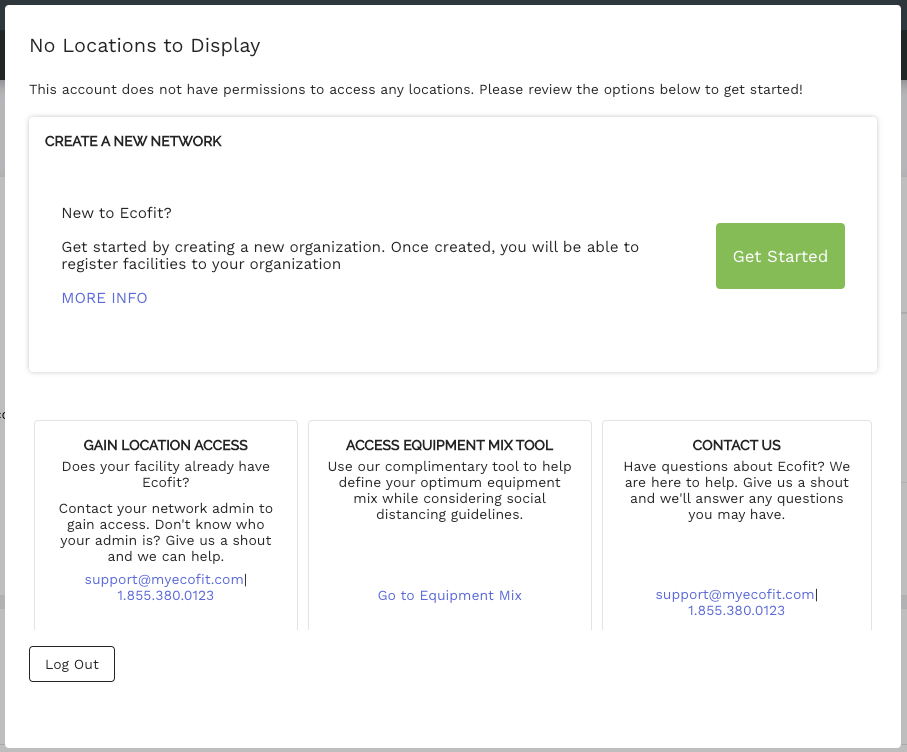
Getting Started
If you are new to Ecofit the first step will be to create a new organization. You will automatically have full admin privileges for the organizations you create, allowing you to modify billing info, create facilities, register equipment and create access filters.
Gaining Access
Does your organization already use Ecofit? Ask your system administrator to gain access.
Comments
0 comments
Please sign in to leave a comment.