
Overview:
The P0 Relay comes equipped with 2 diagnostic LEDs that can be used to diagnose most connection issues.
|
STATE
|
GREEN
|
ORANGE
|
|---|---|---|
| NO NETWORK, NO CSAFE, NO DATA | SOLID | SOLID |
| NETWORK BEACON, NO CSAFE, NO DATA | SOLID | 1HZ |
| NETWORK DATA, NO CSAFE, NO DATA | SOLID | 4HZ |
| NO NETWORK, CSAFE, NO DATA | 1HZ | SOLID |
| NETWORK BEACON, CSAFE, NO DATA | 1HZ | 1HZ |
| NETWORK DATA, CSAFE, NO DATA | 1HZ | 4HZ |
| NO NETWORK, CSAFE, DATA | 4HZ | SOLID |
| NETWORK BEACON, CSAFE, DATA | 4HZ | 1HZ |
| NETWORK DATA, CSAFE, DATA | 4HZ | 4HZ |
IMPORTANT: The green LED blinking fast (4HZ) only shows that the Relay is receiving data. It does not show an increase in calories or distance which is very important. This is tested using the verification process on the Installation App. See Verifying a Relay
Breakdown:
| GREEN | ORANGE |
| SOLID | SOLID |
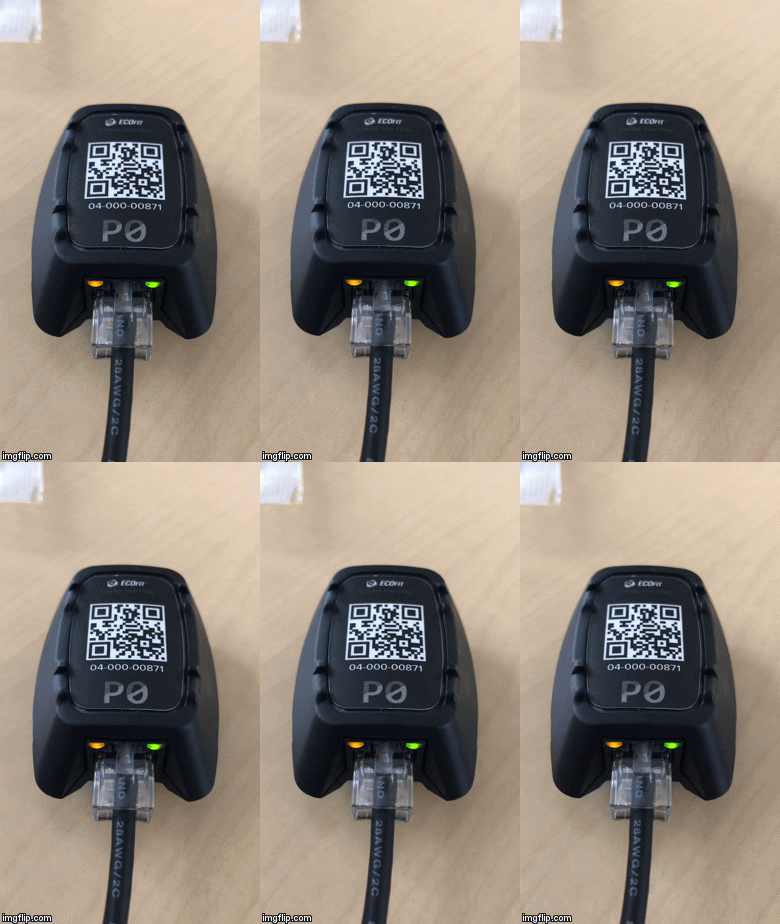
State: No Csafe. No Data. No Network connection.
Meaning: The Relay is receiving power but cannot detect the Gateway or data from the equipment.
Resolution:
GREEN- Ensure that the equipment has had Csafe properly activated/routed.
ORANGE- Ensure that the Gateway is installed, powered up and within range of the Relay.
| GREEN | ORANGE |
| SOLID | Slow Blink (1HZ) |
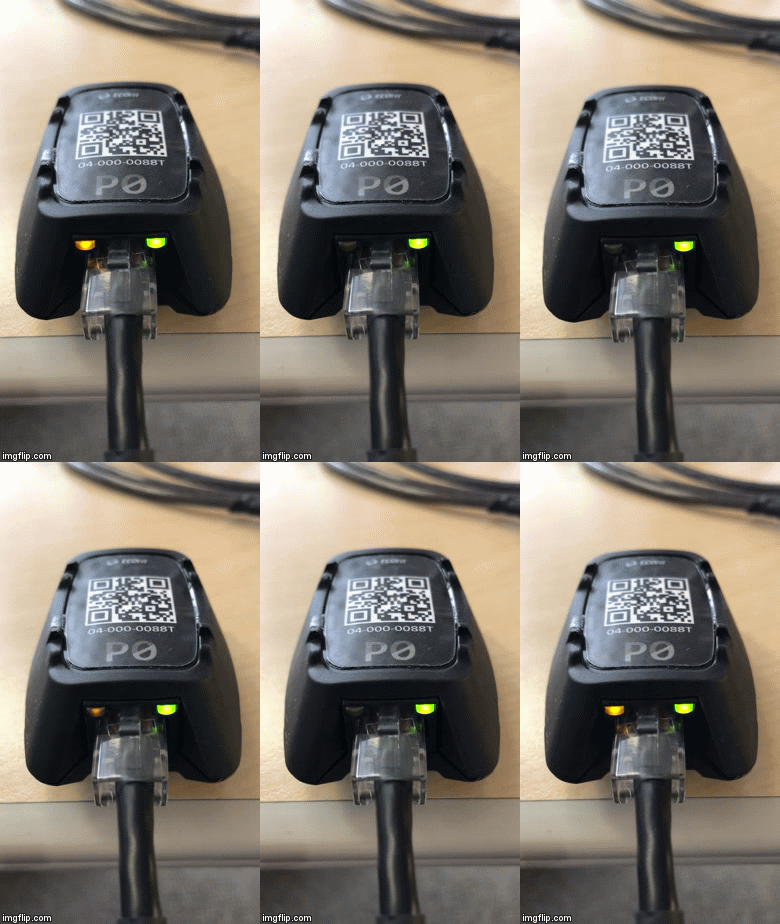
State: No Csafe. No Data. Beacon Connected
Meaning: The Relay can see the Gateway (is within range and able to communicate) but is not receiving any Csafe data from the equipment.
Resolution:
GREEN- Ensure that the equipment has had Csafe properly activated/routed.
| GREEN | ORANGE |
| SOLID | Fast Blink (4HZ) |
State: No Csafe. No Data. Relay Configured and Connected
Meaning: The Relay is configured Gateway and communicating but is not receiving any data from the equipment.
Resolution:
GREEN- Ensure that the equipment has had Csafe properly activated/routed.
| GREEN | ORANGE |
| Slow Blink (1HZ) | SOLID |
State: Csafe OK. No Data. No Network
Meaning: The Relay can detect Csafe but it is not receiving data. Relay is not connected to the Gateway.
Resolution:
GREEN- Begin a quick start session and observe green LED. Green LED should speed up once data is received. If this does not happen, ensure that the equipment has Csafe properly activated.
ORANGE- Ensure that the Gateway is connected and within range of the Relay.
| GREEN | ORANGE |
| Slow Blink (1HZ) | Slow Blink (1HZ) |
State: Csafe OK. No Data. Beacon Connected
Meaning: The Relay can see the Gateway (is within range and able to communicate). The Relay is connected to an appropriate Csafe port but is not receiving any data.
Resolution:
GREEN- Begin a quick start session and observe green LED. Green LED should speed up once data is received. If this does not happen, ensure that the equipment has Csafe properly activated.
ORANGE- Relay is not configured to the Gateway. Check if the relay has been added through the Install App and update the Gateway.
| GREEN | ORANGE |
| Slow Blink (1HZ) | Fast Blink (4HZ) |
State: Csafe OK. No Data. Relay configured and connected.
Meaning: The configured Relay is connected to the Gateway. The Relay is connected to an appropriate Csafe port but is not receiving any data.
Resolution:
GREEN- Begin a quick start session and observe green LED. Green LED should speed up once data is received. If this does not happen, ensure that the equipment has Csafe properly activated.
| GREEN | ORANGE |
| Fast Blink (4HZ) | SOLID |
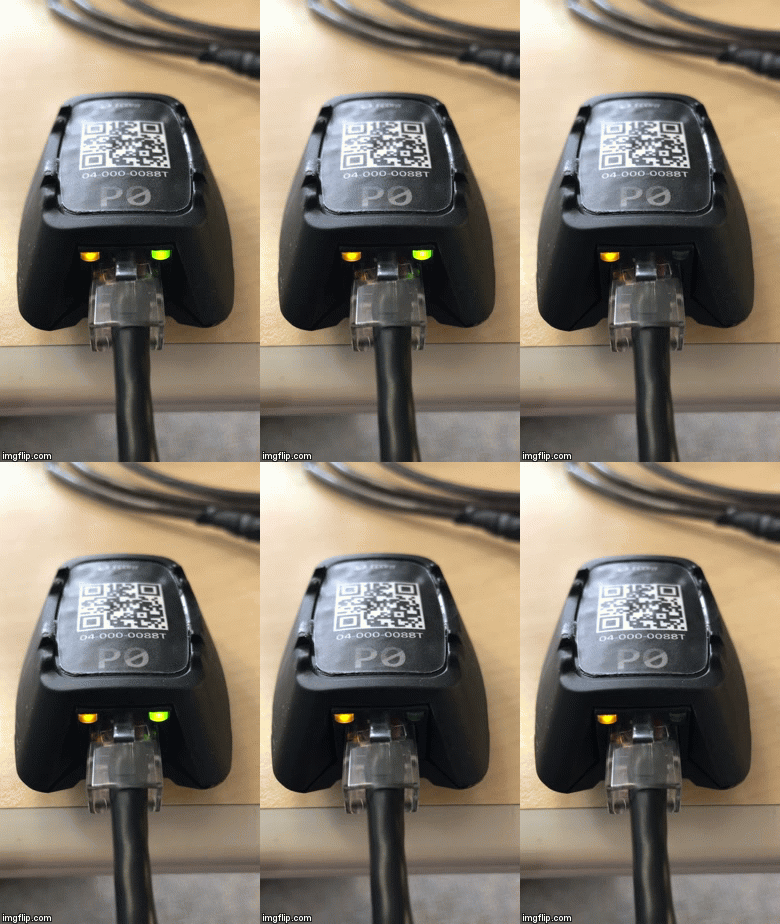
State: Csafe OK. Data OK. No network connection.
Meaning: The Relay is receiving appropriate data from the equipment but is not connected to the Gateway.
Resolution:
ORANGE- Ensure that the Gateway is connected and within range of the Relay.
| GREEN | ORANGE |
| Fast Blink (4HZ) | Slow Blink (1HZ) |
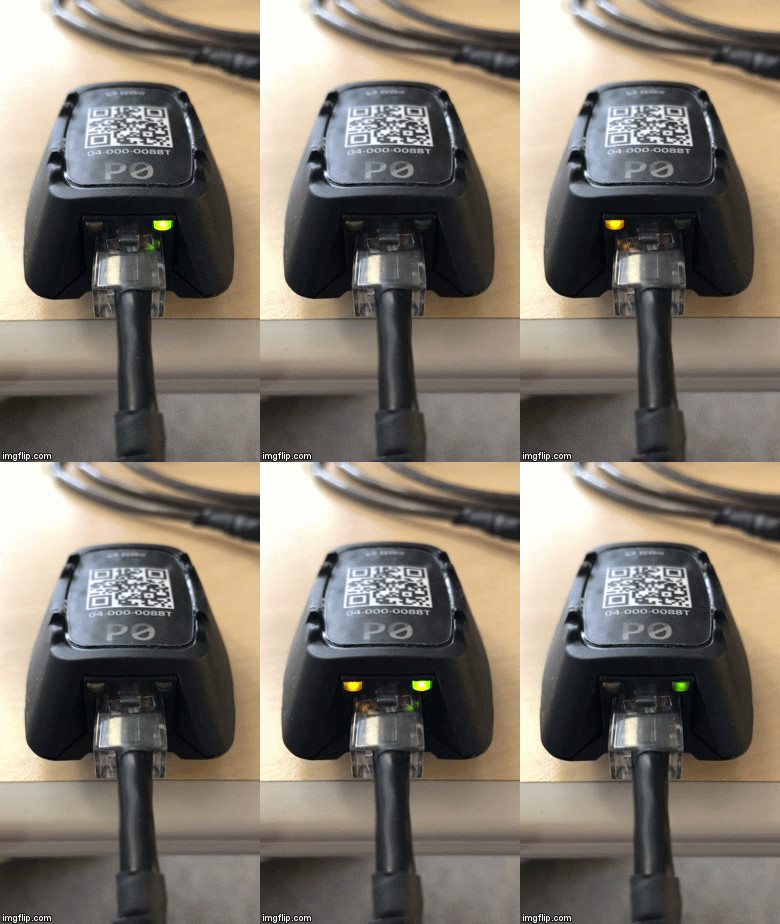
State: Csafe OK. Data OK. Beacon connected.
Meaning: The Relay can see the Gateway (is within range and able to communicate). The Relay is connected to an appropriate Csafe port and is receiving data.
Resolution:
ORANGE- Relay is not configured to Gateway. Check if the relay has been added through the Install App and update the Gateway.
| GREEN | ORANGE |
| Fast Blink (4HZ) | Fast Blink (4HZ) |
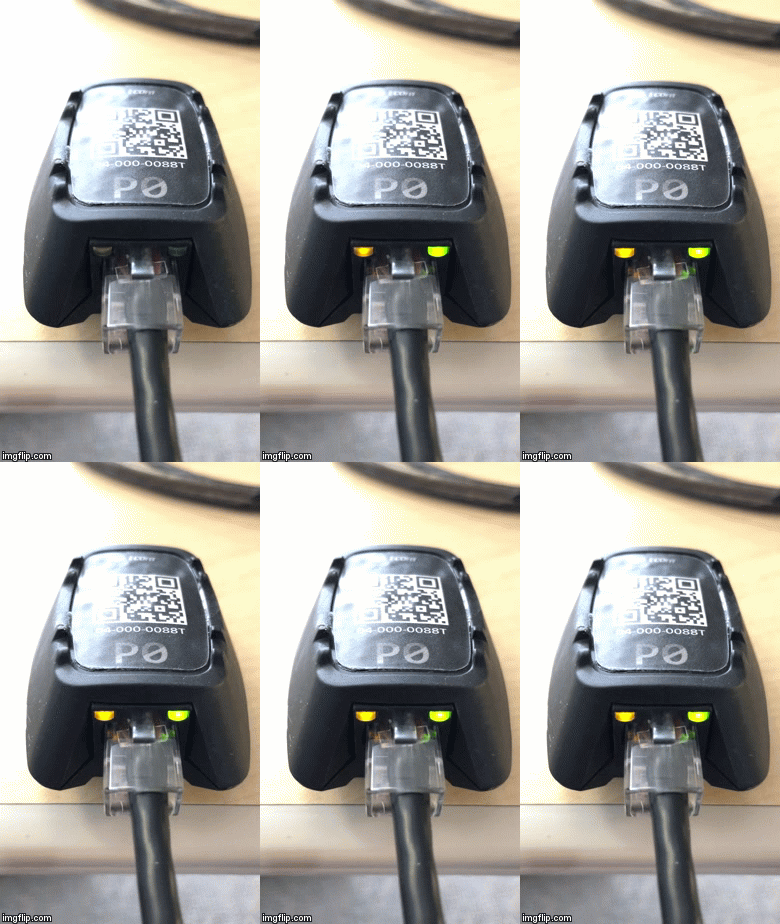
State: Csafe OK. Data OK. Relay configured and connected.
Meaning: The Relay is connected and configured to the Gateway. The Relay is receiving appropriate data.
Resolution:
None. Operation good.
Comments
0 comments
Please sign in to leave a comment.